For software developers, SIers and office-equipment dealers

Move your customers' Windows systems
to the cloud without rebuilding them.

Offer it as your own product.

The contract, the invoice and the customer relationship all stay with you.
As a Microsoft AI Cloud Partner, we support migration from on-premises to Azure Virtual Machines (Windows Server).
Headquartered in Fukuoka, serving all of Japan.

For software developers, SIers and office-equipment dealers

Move your customers' Windows systems to the cloud without rebuilding them.

Offer it as your own product.

The contract, the invoice and the customer relationship all stay with you. As a Microsoft AI Cloud Partner, we support migration from on-premises to Azure Virtual Machines (Windows Server). Headquartered in Fukuoka, serving all of Japan.
 

Does this sound familiar?

Does this sound familiar?

We keep hearing the same concerns from companies that have delivered and maintained on-premises servers for years.

Servers ordered, but not delivered for over three months

You cannot commit to a replacement date with your client, and the proposal itself stalls.

Six months to source a failed part

You lend out an old server as a stopgap. When the next one fails, there is no spare left.

Your clients are already affected

You cannot answer “when will it be fixed?” — the hardest moment in a long relationship.

You want to move on, but do not know what to choose

Cloud, AWS, Azure, VM. You have heard the words, but never worked with them.

All four disappear once you move to an operation that owns no hardware.


That is an Azure Virtual Machine (Windows Server)

That is an Azure Virtual Machine (Windows Server)

There is nothing new to learn. The only thing that changes is where the server sits.

What is a virtual machine (VM)?

It is the very server in your machine room, running as software. It is not something new and different.

What is Azure?

It is Microsoft’s platform that runs those virtual machines. We design, build and support the operation.

What runs on it is Windows Server

It is the same Windows Server as before. Connect by Remote Desktop and you see the usual Windows screen.

AWS, Azure or VM? You do not need to choose.

No comparison studies, no collecting quotes. applippli DX Pro delivers a dedicated environment on Microsoft Azureat a monthly fee that includes the Windows license. We handle design, build, migration and ongoing maintenance. We start with you from your very first machine.


Your software is not rebuilt

Your software is not rebuilt

There is no need to build a cloud edition. Your current Windows edition runs on the virtual machine as it is.

There is no need to rewrite the business software your clients have used for years into a web application. You install it on Windows Server on an Azure Virtual Machine exactly as before. The screens, the reports and the way data is entered all stay the same.

For your client, the only change is the icon they click.No retraining, and no rewriting of operating manuals.


The three options your clients actually compare

The three options your clients actually compare

Buy a new server, rebuild as a web application, or move onto a virtual machine.

 Buy a new serverRebuild as a web appDX Pro (Azure VM)
Your current softwareWorks as it isMust be rebuiltWorks as it is
Development / migration time—Often measured in yearsAbout 3 business days
How your client worksUnchangedChangesUnchanged
Retraining your clientHardly anyLikelyHardly any
Procuring a serverOver three months’ waitNot neededNot needed
Failures and spare partsCan take six monthsNot neededNot needed
Windows ServerYou manage it (hardware included)GoneStill fully yours to manage
Server hardware trouble
(failures, power, boards)
You handle itNot neededNot needed
VPN applianceRequiredNot neededNot needed
On-site visits for delivery and updatesRequired—Not needed
Next server refreshNeeded againNot neededNot needed

←→ Scroll sideways to see the whole table


At your desk, at home,
on a business trip or on the move

you can do all of this, just the same

At your desk, at home,
on a business trip or on the move

you can do all of this, just the same

You can answer your client’s requests with zero travel time.

Adding users
Removing users who have left
Installing business software
Applying version upgrades
Adding capacity and specs
Changing access permissions
Checking and recovering from failures
Preparing a test environment


Two icons, and the operation stays just as it was on-premises

Your client’s staff do not have to learn anything new.Hand out a single iconand the business software starts up exactly as before.

Used by software developers, SIers and system administrators

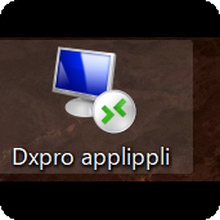
A real desktop icon

Desktop icon

Go inside Windows Server

・Install and change settings

・Version upgrades

・Add and remove users

・You stay in control

For your client, you can create an administrator with reduced rights, or a user who works on the desktop screen. Just as before, your client can use it freely.

Just hand this to the end user

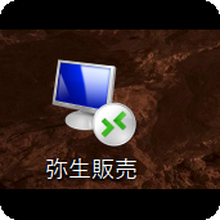
A real app icon

App icon

Only the business software starts

・Click it and the usual software opens

・Same screen, same way of working

・In most cases, no installation on the PC

・No retraining needed

Software developers, SIers and system administrators use the desktop icon; end users simply receive the app icon.
That one distinction is all it takes to keep running things exactly as you did on-premises.

» More on the difference between the two icons

Two icons, and the operation stays just as it was on-premises

Your client’s staff do not have to learn anything new.Hand out a single iconand the business software starts up exactly as before.

Used by software developers, SIers and system administrators

A real desktop icon

Desktop icon

Go inside Windows Server

・Install and change settings

・Version upgrades

・Add and remove users

・You stay in control

For your client, you can create an administrator with reduced rights, or a user who works on the desktop screen. Just as before, your client can use it freely.

Just hand this to the end user

A real app icon

App icon

Only the business software starts

・Click it and the usual software opens

・Same screen, same way of working

・In most cases, no installation on the PC

・No retraining needed

Software developers, SIers and system administrators use the desktop icon; end users simply receive the app icon.
That one distinction is all it takes to keep running things exactly as you did on-premises.

» More on the difference between the two icons


What one version upgrade actually involves

What one version upgrade actually involves

Until now (on-premises delivery)

1. Arrange a date with your client

2. Travel to the site

3. Apply the modules to the server

4. Reinstall on each PC one by one

5. Test each PC

6. Repeat for every location

Including travel and attendance, this can take several days.

After adopting DX Pro

1. Swap the assets on the virtual machine remotely

2. Test it

3. The next time your client clicks the icon, it is the latest version

No visits. However many PCs or locations there are, the work stays the same.

What changes is not your client’s system, but the way you maintain it after delivery.

Ask us whether your system can move to DX Pro


What makes applippli DX Pro different

What makes applippli DX Pro different

Cloud VDI multi-device supportCloud VDI peace of mindCloud VDI high speed
Move your Windows
environment as it is
Built on Microsoft AzureMicrosoft
AI Partner
Move to the cloud without
major changes to existing software
High reliability, availability and
scalability for stable operation
Proposals with a future,
using Azure and AI
   
 
Built for the long runWindows license includedIn most cases, no installation
on the user’s PC 
An environment that lets software developers, SIers and office-equipment dealers support their clients for years to comeThere is no need to buy Windows OS separately to move to the cloudBusiness software is installed on the server and shared by everyone. Depending on how the software is built, some components may still be needed on the PC.
Cloud VDI multi-device support

Move your Windows environment as it is

Move to the cloud without
major changes to existing software

Cloud VDI peace of mind

Built on Microsoft Azure

High reliability and availability for stable operation 

Cloud VDI high speed

Microsoft AI Partner

Proposals with a future,
using Azure and AI

Built for the long run

An environment that lets software developers, SIers and office-equipment dealers support their clients for years to come

Windows license included

There is no need to buy Windows OS separately
to move to the cloud

Easy connection setup 

Business software is installed on the server and shared by everyone. Depending on how the software is built, some components may still be needed on the PC.


Azure Virtual Machines, made simple

For companies that want to deliver
their own systems and business software to clients via the cloud,
we deliver a Windows Server environment on Microsoft Azure
in about 3 business days.

Fastest Order in the morning,delivered the same evening(our own record)

Azure Virtual Machines, made simple

For companies that want to deliver their own systems and business software to clients via the cloud, we deliver a Windows Server environment on Microsoft Azure in about 3 business days.

Fastest Order in the morning,delivered the same evening(our own record)


Price

First month free.You can cancel monthly, so you can try it for one month in real work first.

Price

First month free.You can cancel monthly, so you can try it
for one month in real work first.

Monthly fee
58,000JPY / month and up
2 cores / 8 GB memory / C drive SSD 128 GB / initial cost JPY 50,000 (excl. tax)

Monthly fee
58,000JPY / month and up
2 cores / 8 GB memory
C drive SSD 128 GB
Initial cost JPY 50,000 (excl. tax)

Higher plans (4 / 8 / 16 cores), add-on options such as multi-factor authentication and file server, and 10% off for annual contracts. See the Price page for details.

Higher plans (4 / 8 / 16 cores), add-on options, and
10% off for annual contracts。
See the Price page for details.

See the price details

Get a free estimate

See the price details

Get a free estimate


News

News


FAQ

FAQ

Q.We want to move our on-premises environment onto virtual machines (Azure). Do we have to rebuild the system?
A.

No. applippli DX Pro makes use of the existing Windows environment, so in most cases you can move to the cloud without major rebuilding of your clients’ systems or software. You can propose a cloud migration while keeping redevelopment costs and migration time down.

Q.Does the business software have to be installed for every user?
A.

No. Business software and in-house systems run in the cloud environment, so in most cases there is no need to install software for each user (depending on how the software is built, some components may still be needed on the PC). It also lightens the management burden when PCs are replaced or users are added.

Related FAQ: Do we have to create an RDP file (desktop icon / software icon) for each user?

Q.Can we use this when proposing to clients facing a server refresh or end of support?
A.

Yes. Because it uses the existing Windows environment, you can propose it as an answer to a server replacement or end of support. It also reduces the burden of hardware refreshes and day-to-day operation.

Q.Can we propose it to clients struggling with a failed VPN appliance or a replacement?
A.

Yes. Some clients start looking at it when their VPN appliance ages, reaches end of support, or needs replacing.
With applippli DX Pro the working environment runs on an Azure Virtual Machine (Windows Server), so the VPN appliance on the premises is no longer needed at all.
Wherever there is an internet connection, the same working environment is available. Both the purchase and the maintenance cost of the VPN appliance disappear, which makes a convincing proposal that cuts costs for the end user.

Q.Can it be used from overseas?
A.

Yes. Within Japan and from overseas offices or business trips alike, the same working environment is available as it is.
Many clients already use it this way, both on short business trips and at overseas offices, and it has been very well received.
It also works well when proposing to clients with overseas offices, or when the same working environment is wanted across locations.

Q.What is the difference between the desktop icon and the app icon?
A.

applippli DX Pro offers two kinds: a “desktop icon” that opens the desktop just like your own PC, and an “app icon” that opens only the software, as usual.

Click the desktop icon and the desktop of the Azure Virtual Machine (Windows Server) opens as it is. It suits cases where several pieces of business software and files are used together, just like an office PC.

With the app icon, only the software opens from the PC at hand, as usual. What actually runs is the software on the Azure Virtual Machine (Windows Server), but to the staff it is barely different from running locally — so there is no need to retrain anyone.

In both cases, business software and in-house systems usually do not have to be installed on each user’s PC, and can be managed centrally on the Azure Virtual Machine (Windows Server).

Q.Can on-site work be reduced after adoption?
A.

Because everything is managed in the cloud environment, the on-site work that comes with server maintenance and configuration changes is greatly reduced.


MORE

MORE


applippli Key   ISMS certified   Microsoft AI Cloud Partner

applippli Key

ISMS certified

Microsoft AI Cloud Partner